


Recently, a number of tools for creating AI-based web applications have appeared on the market. Using text commands (prompts), we can create our own web applications. We’ve reviewed the four most popular platforms (Base44, Replit, Lovable.dev, Bolt.new) for creating AI applications, examining their functionality and costs. See for yourself what stage these tools are currently at and what we can build with them.
Each platform was tasked with creating a tool that would allow users to generate work schedules for up to 10 people for any month they choose, along with shift configuration. Users should also be able to enter people (first and last name) and add a legend to the shifts.
Each portal received two text commands:
Build an application for creating work schedules. The app should allow the user to select a month, enter employees by providing their full names, and define available shift types. When assigning shifts to employees, the app should ask which shift type is being assigned. At the end, the user should be able to add a legend that explains the meaning of each shift type.Then, after generating the first part, the application received another command:
Enable users to export the generated work schedule as a PDF document. The PDF should be well-formatted, including the monthly view, employee names, assigned shifts with short codes, and the shift legend.Application created with Base44
The first tool we used was Base44. The application consumed two messages out of the five available in the daily limit. Both commands returned a rather pleasant work schedule planning portal.
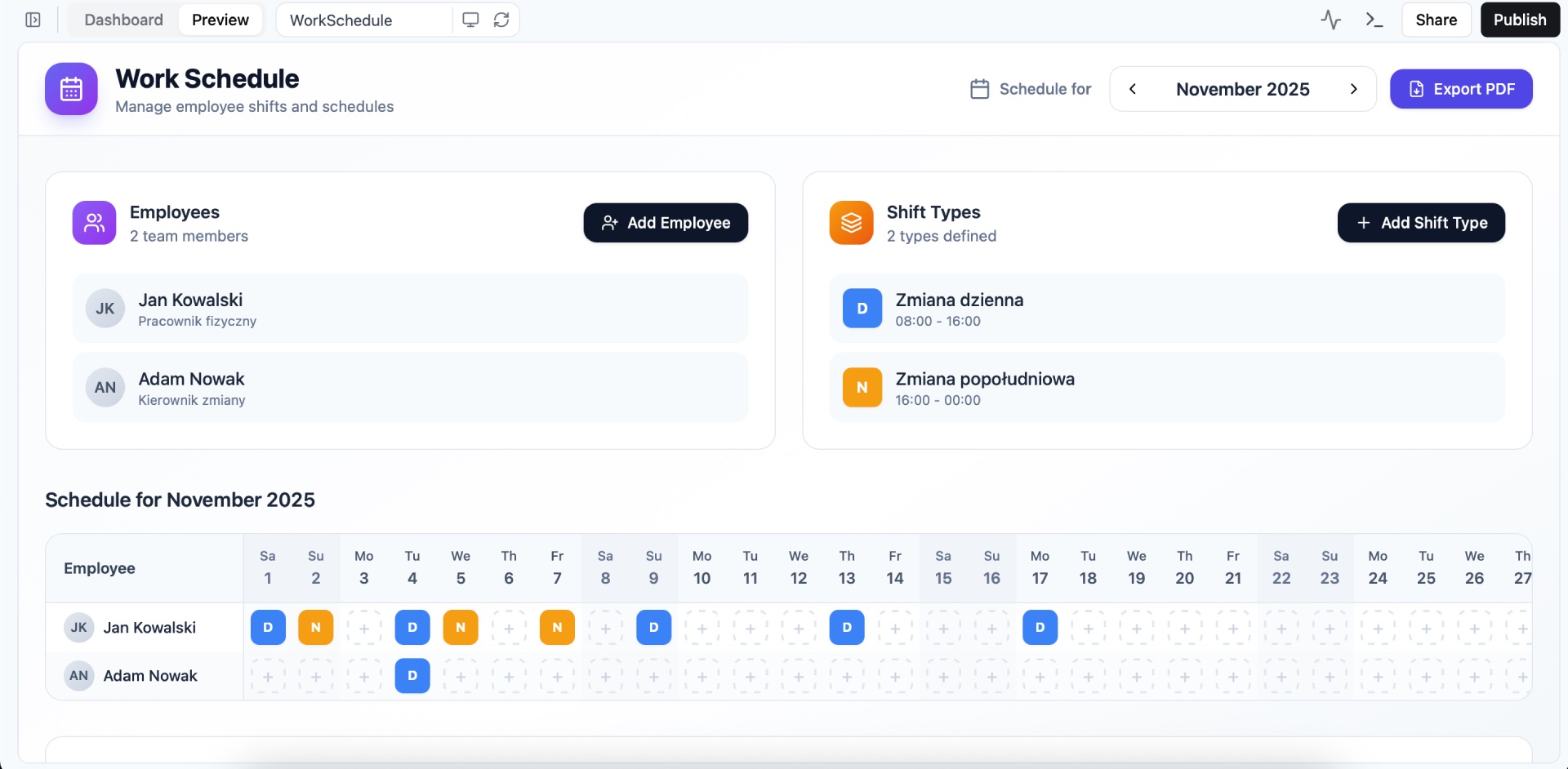
Pros
- The app was created in the blink of an eye, the time it took to create it was less than 5 minutes
- Transparent header with blur effect when scrolling – a very cool effect that was added extra
- Fairly simple user interface (a few steps to create a functional application)
- The tool has added the ability to color changes, and the ability to add a description for the change
- The tool automatically creates a database and provides us with its characteristics. Many other tools require creating the database with a separate command or upgrading to a higher package.
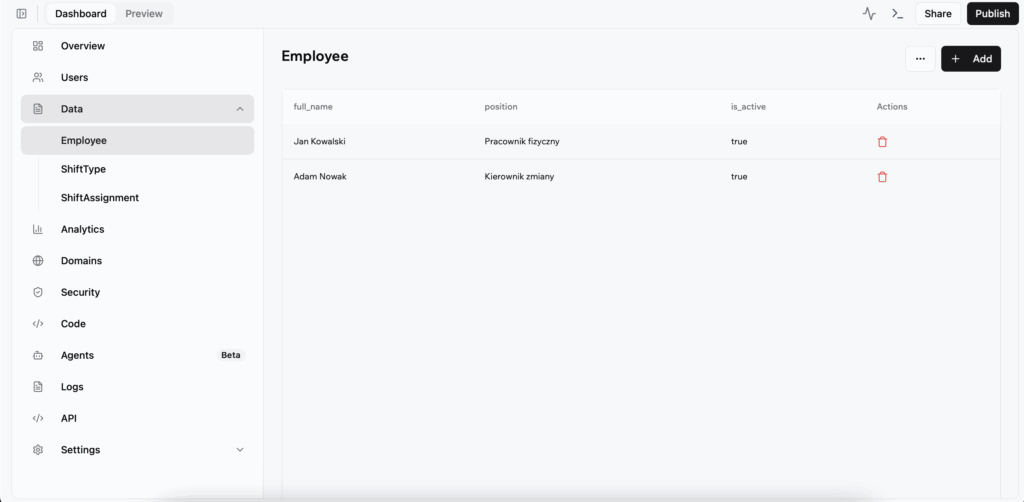
Cons
- No export to PDF – after clicking it takes us to another view which simply displays the graphic with the legend
- The export button gets stuck when clicked – it’s always in “Loading” state
- Possibility to connect a domain only from the USD 40 plan (annual payment)
Base44 Price List
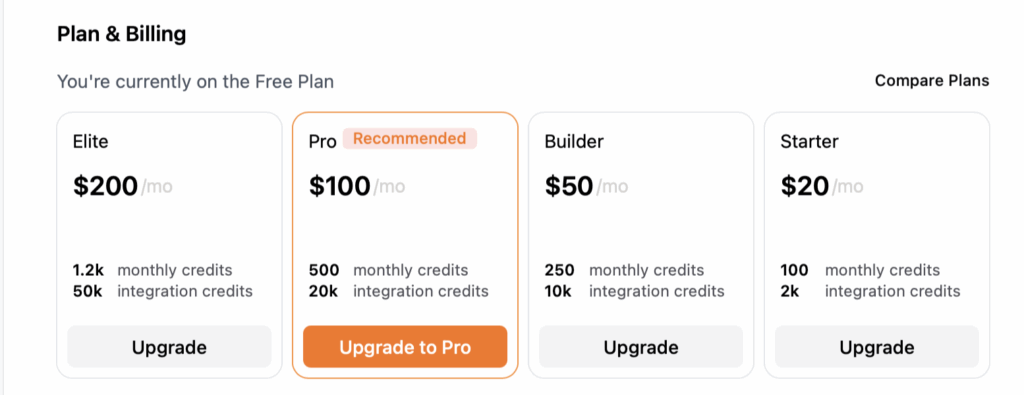
For our test, we used a free account. This account type allows each user to use 25 text commands and 100 integration credits (e.g., sending email notifications). The free plan has an additional limitation – no more than 5 messages per day. It may be difficult to complete a functional application with the free plan. The following still needs to be completed: user login, export improvements, and PDF file download.
An additional limitation of the free plan is the inability to connect your own domain—this option is only available in the Builder plan for $40 (approximately 150 PLN) per month. The free plan also doesn’t allow you to edit the source code—this option is only available in paid plans.
Web app built with Replit
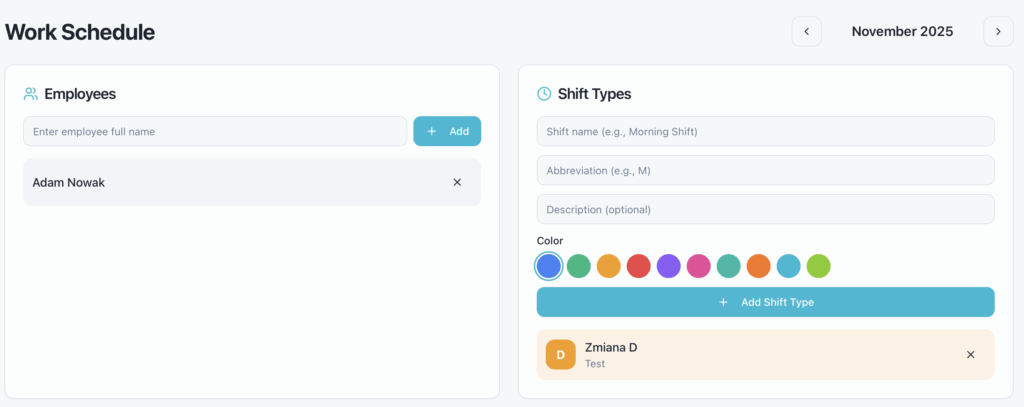
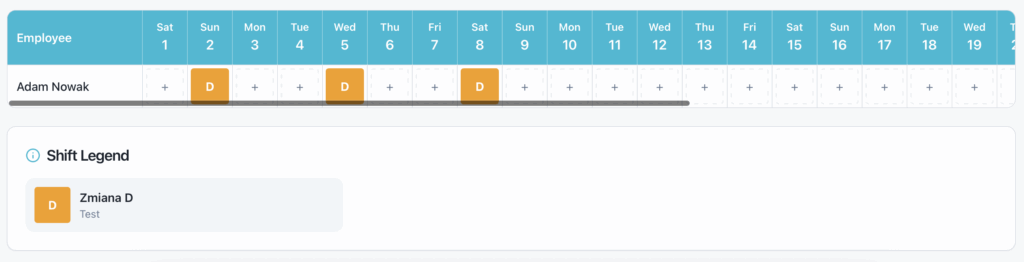
Another platform I’ve reviewed is Replit. Replit has a slightly different business model; its pricing is largely based on resource usage. The time required to prepare this application: $1.52 = approximately 5.55 PLN. The application provides a user-friendly system with pre-entered data without a database connection—the data disappears after refreshing.
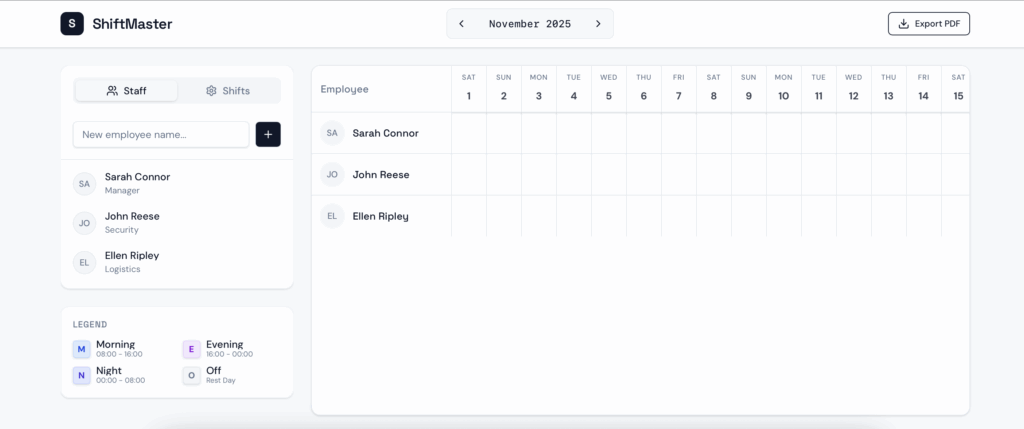
Plusy
- The application was created quite quickly, it took about 6 minutes.
- Replit, similarly to Base44, added the ability to set a custom color for each change
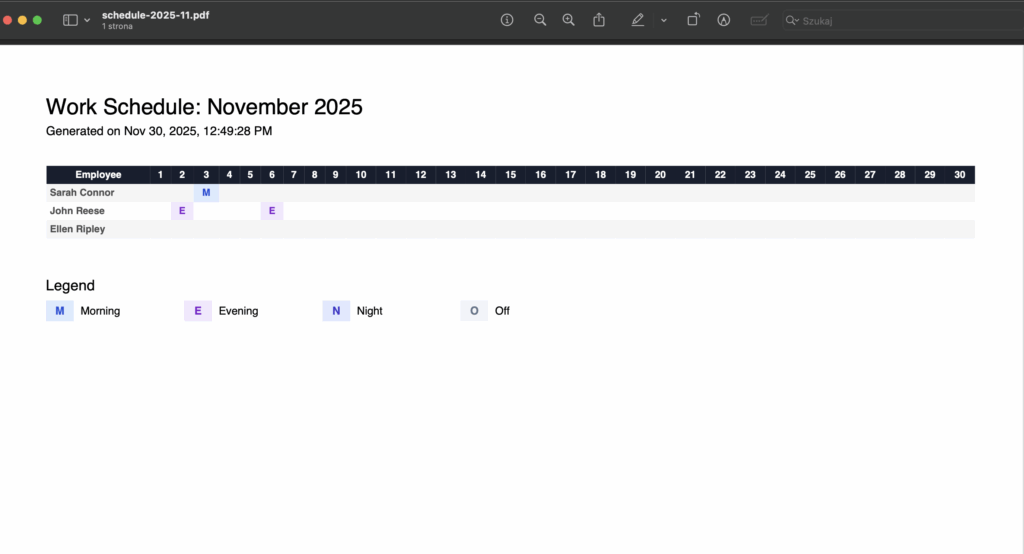
- Properly functioning export to PDF
- Code editing is possible even in the free plan
- A payment model that can be more user-friendly
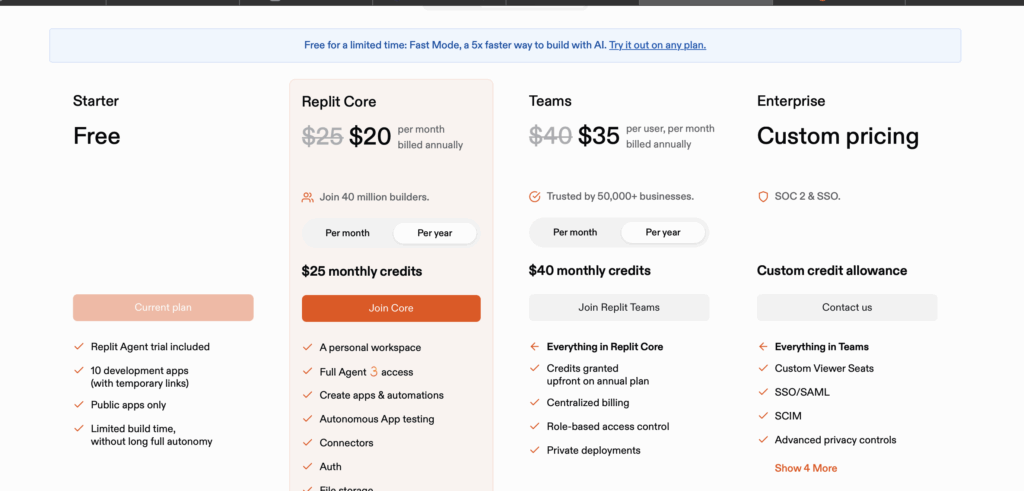
- Possibility to connect a domain already in the plan for USD 20 / month
- Extra budget in each plan – e.g. in the $20/month plan we have $25 to use for AI work
Cons
- No database implemented by default
- Sharing in the free plan is only possible for 7 days – then the link is changed
- More complicated user interface – many more steps to get a functional app and unclear navigation
Replit Price List
Replit’s pricing is based on usage. We don’t pay for the number of messages, but for the actual time we use the Replit infrastructure. Currently (November 30, 2025), the $20 and $35 packages give us an extra $5 to use during application development.
Web app built with Lovable.dev
Third, we’re taking a closer look at an application called Lovable.dev – its functionality is similar to Base44. After completing the first prompt, an error occurred; Lovable.dev didn’t charge any additional credits for the ‘repair.’
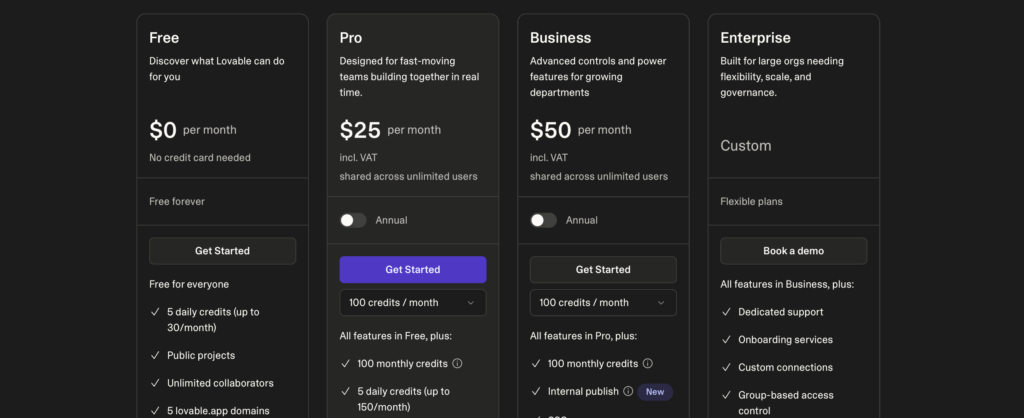
In the app’s free plan, you can use 5 credits per day. The first command cost 1.90 credits, while the second command, about PDF export, cost an additional 1.40 credits. In total, 3.3 credits were used for these two commands, meaning 1.7 credits remained to be used that day.
Pros
- The application is visually consistent with a modern look
- Lovable.dev most likely doesn’t add extra credits when the code was incorrectly prepared and needed to be fixed
Cons
- An error occurred during the first prompt – Application creation failed the first time
- No code editing option in the free plan
- By default, no database is added to the system – after refreshing the view, the data disappears
- A request to activate the database costs an additional 0.40 credits, even before consent is given – the database is paid in the Pay As You Go model
- Definitely the most expensive of the systems reviewed
Lovable.dev Price List
Building a Web App with Bolt.new
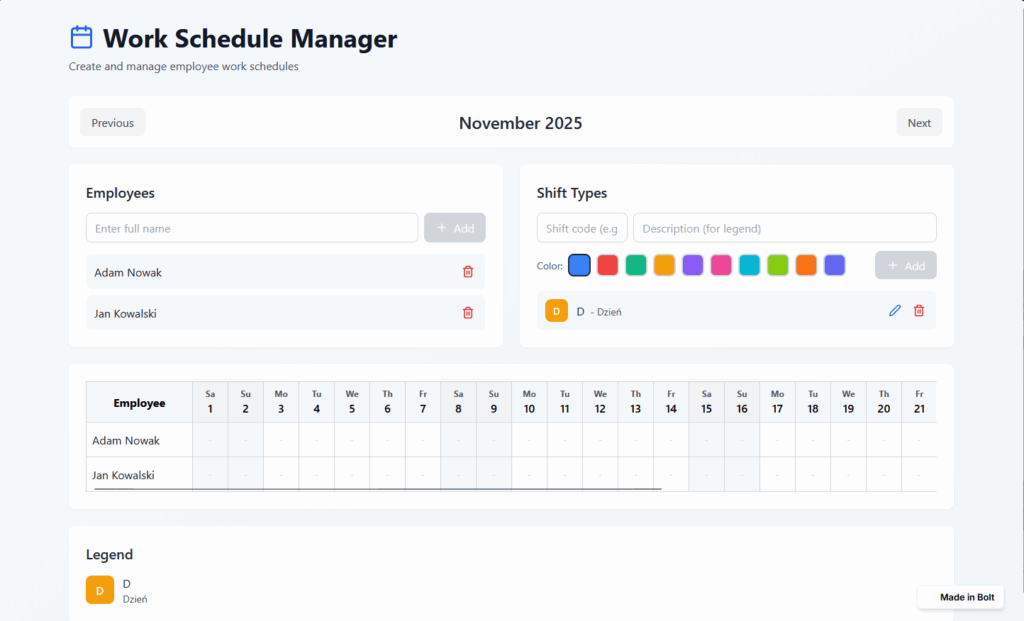
The Bolt.new portal offers 300,000 tokens on its free plan; generating the first prompt cost around 78,000 tokens. Unfortunately, I wasn’t able to prepare the full application – due to a strange user interface, I ran the same prompt three times (thus wasting all my free tokens).
Pros
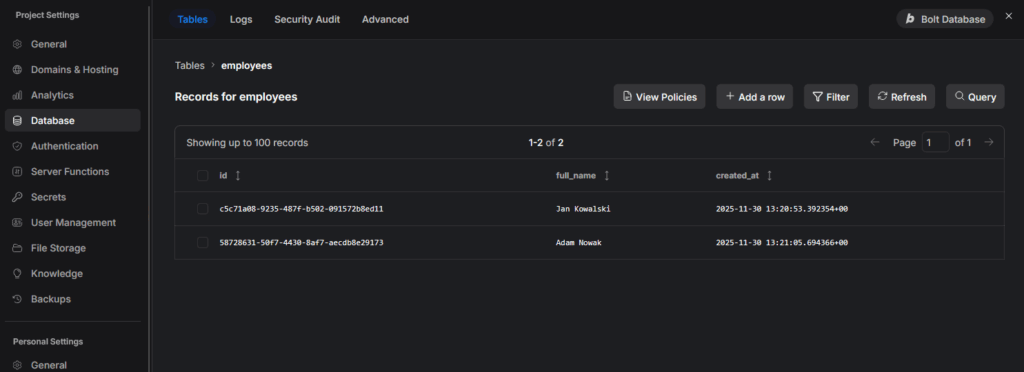
- At the start, the application prepares the database – we have a preview of the data placed there
- As in previous applications, we have the additional option of setting the appropriate color
- Possibility to edit the code even on the free plan
Cons
- Poor UI/UX led to the same application being generated three times. After logging in, you can only access your account by hovering the cursor over the left edge of the screen – then an additional menu appears.
- All available tokens were used up quite quickly
Vibecoding Application Summary
In today’s test, we looked at four applications that allow you to create your own web projects using artificial intelligence. After thoroughly testing their capabilities, intuitive operation, and flexibility, the Base44 platform came out on top, and if I had to choose a winner, I would definitely put it in first place.
Several factors contributed to this choice. Primarily, it’s ease of use, allowing even those without extensive programming experience to quickly create a working application prototype. The built-in database, available from the start without the need to manually configure external services or connect additional tools, is also crucial. This is a huge advantage, as virtually every project sooner or later requires the need to store information in an organized manner.
Also noteworthy is the clear and uncomplicated user interface, which makes the application development process more accessible and less time-consuming. The combination of these elements makes Base44 stand out from the competition and a very solid proposition for both beginners and more advanced developers.
